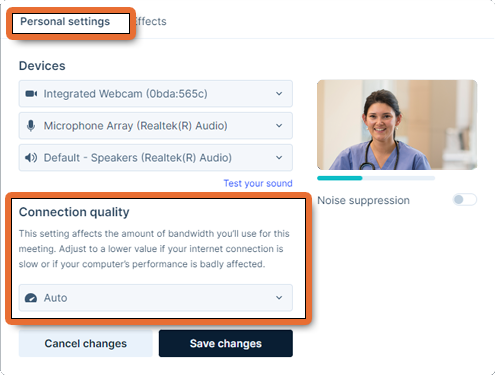
Change your maximum bandwidth before you join a video visit. The bandwidth used in a video visit is set when the call starts.
- If you are not in a video visit, open your email invitation, click
 , and follow the same steps as when joining a video visit.
- While in a video visit, tap the Settings button
 and select Quality. A "Connection quality" panel appears.
- To change bandwidth settings, click the Connect quality drop-down field and select an option. The change takes place immediately.
- To close the panel, tap anywhere outside the panel.